Mobile App
UniHouse in Your Pocket
Find student accommodation anywhere, anytime. Download our mobile app for the best housing search experience on the go.
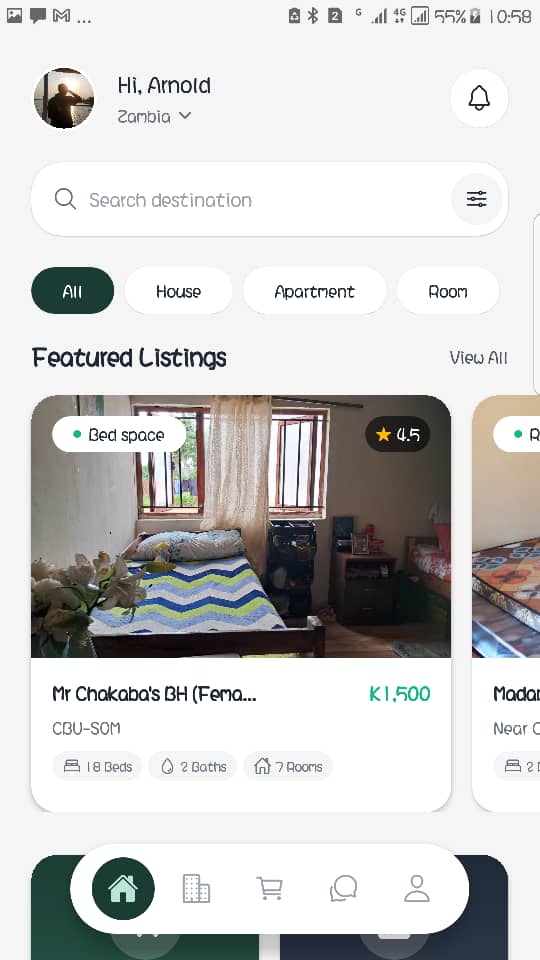
Find student accommodation anywhere, anytime. Download our mobile app for the best housing search experience on the go.
Everything you need to find the perfect student accommodation, right from your phone.
Browse listings with intuitive filters and find your ideal home quickly.
Get notified when new properties matching your criteria are listed.
Bookmark properties you love and compare them later.
See properties on a map and find ones closest to your university.
Connect with property owners directly through the app.
Listings go through a review process to improve safety and trust.
Follow these simple steps to install the UniHouse app on your Android device.
Click the "Download for Android" button above to download the UniHouse APK file to your device.
When prompted, allow installation for this trusted source on your device. Re-disable this permission after installation if you do not need it.
Open the downloaded APK file and tap "Install". Wait for the installation to complete.
Open UniHouse from your app drawer and start browsing student accommodations near your university!
The UniHouse mobile app brings the full power of our student housing platform to your pocket. Browse reviewed listings, save your favorite properties, get instant notifications when new accommodations are posted, and contact landlords directly — all from your Android device.
Whether you're a first-year student looking for a safe place near campus or an upperclassman seeking an affordable upgrade, UniHouse makes it easy to compare prices, check locations on a map, and read listing details before making a decision.
Download the UniHouse app today and discover the easiest way to find student accommodation.